Emails H&W Hub sends
Every email sent for you, what's in it, and how to check what was sent.
Emails to participants and families
- Onboarding, with a button to fill in and sign the forms online. The consent form, service agreement and NDIS access request form are attached too, for anyone who'd rather use paper.
- Welcome, with your welcome pack, sent once when they become Active
- Service agreement to sign
- Private family link
Emails about money
- Invoices, with the PDF
- Payment reminders: the morning after the due date, then weekly, three at most
- Pay day reminders, to the owner
Emails to your team
- Welcome to the team
- Location notice
- Shift reminders, the day before, only when the phone can't get them
- Pay breakdowns and payslips
- Progress note reminders, to a worker who isn't on the app
- Chat invites, when you message someone in Team chat who doesn't sign in yet. The email doesn't include what you wrote.
- Join requests: the owner is emailed when a support worker asks to join. The worker is emailed when you approve or decline them.
Emails you send from H&W Hub
- Replies to emails you forward, from the Emails tab of Emails/Chats. They go out as your business.
- Emails the chat writes for you, after you check the card and press Send email. Replies go to your own email. See How the assistant works.
Sign-in emails
Emails to confirm an email address, sign in with a link, set a new password or get a security code come from H&W Hub, not your business.
Sent
Owners and operations can see every email H&W Hub sends for the business in Emails/Chats. Open the Emails tab, then Sent. Sent is on the website.
- It's every email, not only your replies: invoices and reminders, welcome packs, onboarding forms, shift reminders and pay papers.
- Each one is marked with what it was, like Invoice, Welcome pack or Email from the chat, and shows if files went with it.
- Click one to open its conversation. If someone answers and it reaches an inbox you forward to H&W Hub, their answer lands in the same conversation.
- Search by subject or words in the email.
Previewing every email
Documents (owners and operations) shows every email and form as it looks with your logo and colour. You can Open, Download or Email a test. The people in them are made up.
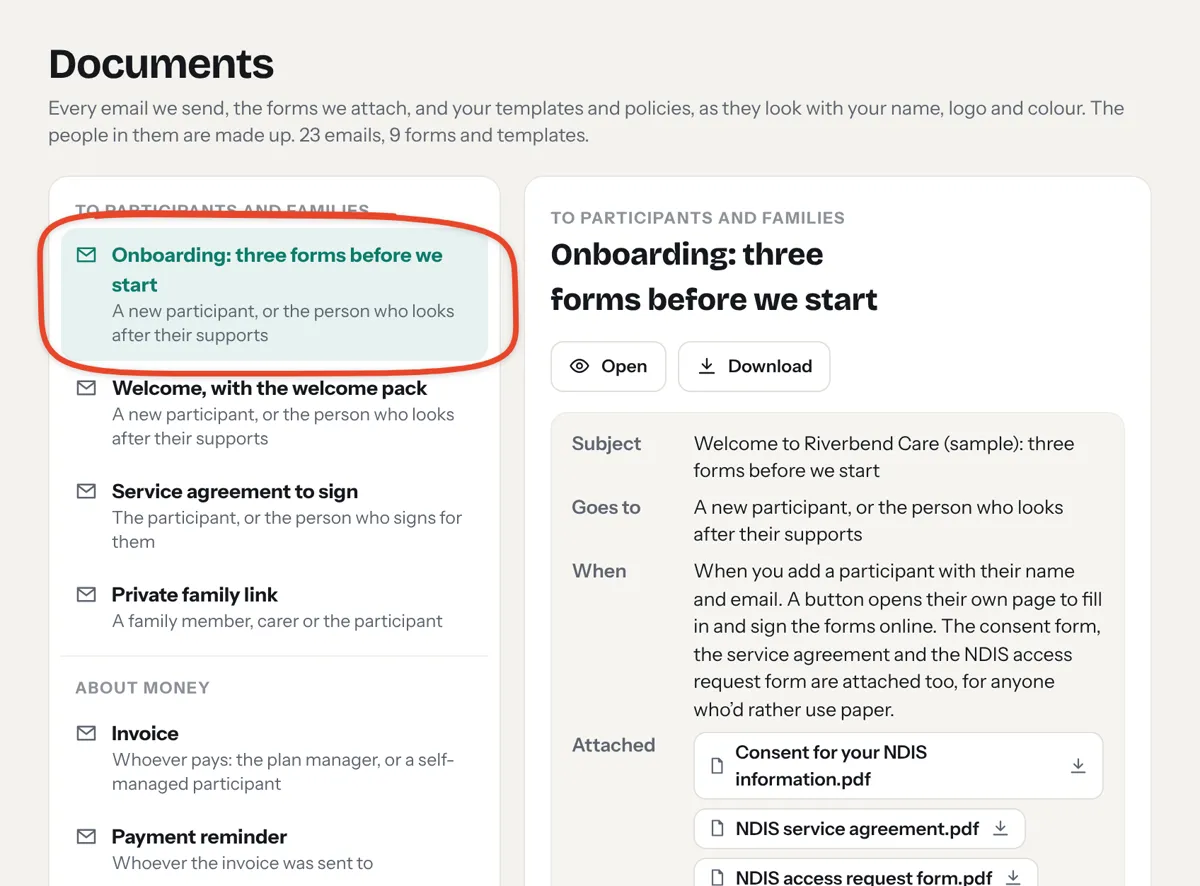
The wording can't be edited. Change your logo and colour in Settings › Your brand.
Settings › Emails (owners) lists the last 200 automatic emails, with where each is up to: Sent, Didn't send, or Waiting.
Something here doesn’t match what you see, or you’re stuck? Send it from Menu › Platform feedback in H&W Hub, or email officethehealthwellbeinghub@gmail.com.